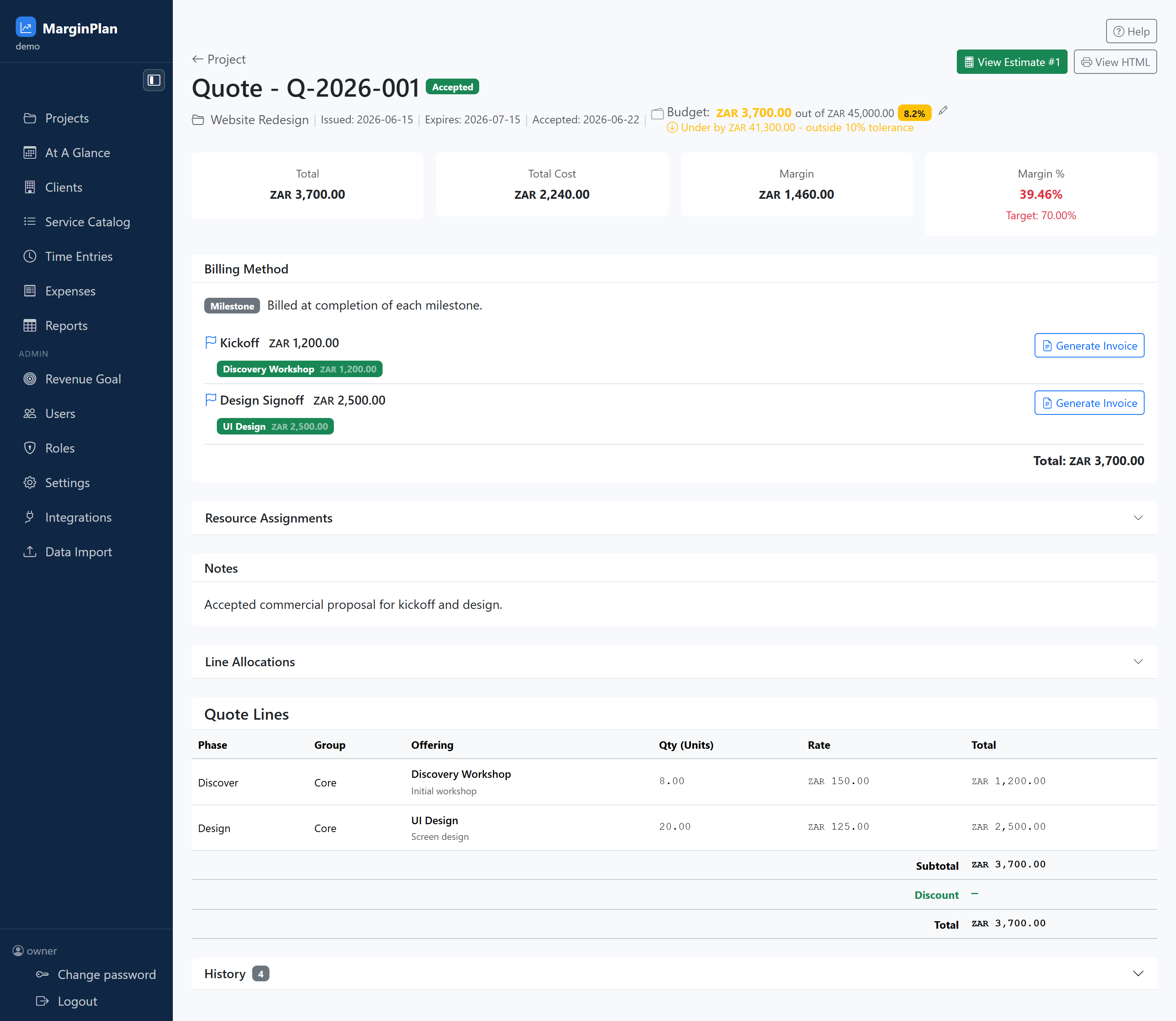
Quote header and lifecycle status
Confirms quote identity, reference, and status so the team knows whether they are drafting, sending, revising, or operating from an accepted commitment.
Project and date context strip
Shows linked project, issued/expiry dates, accepted timestamp, and budget posture so commercial actions are anchored to the current timeline and tolerance state.
Estimate and HTML handoff actions
View Estimate verifies upstream pricing assumptions and View HTML shows what the client-facing document renders like before or after send.
See guide:
Estimate Workflow
Commercial summary cards
Total, Total Cost, Margin, and Margin % provide the quote-level quality gate before status transitions or invoice generation.
Billing Method section
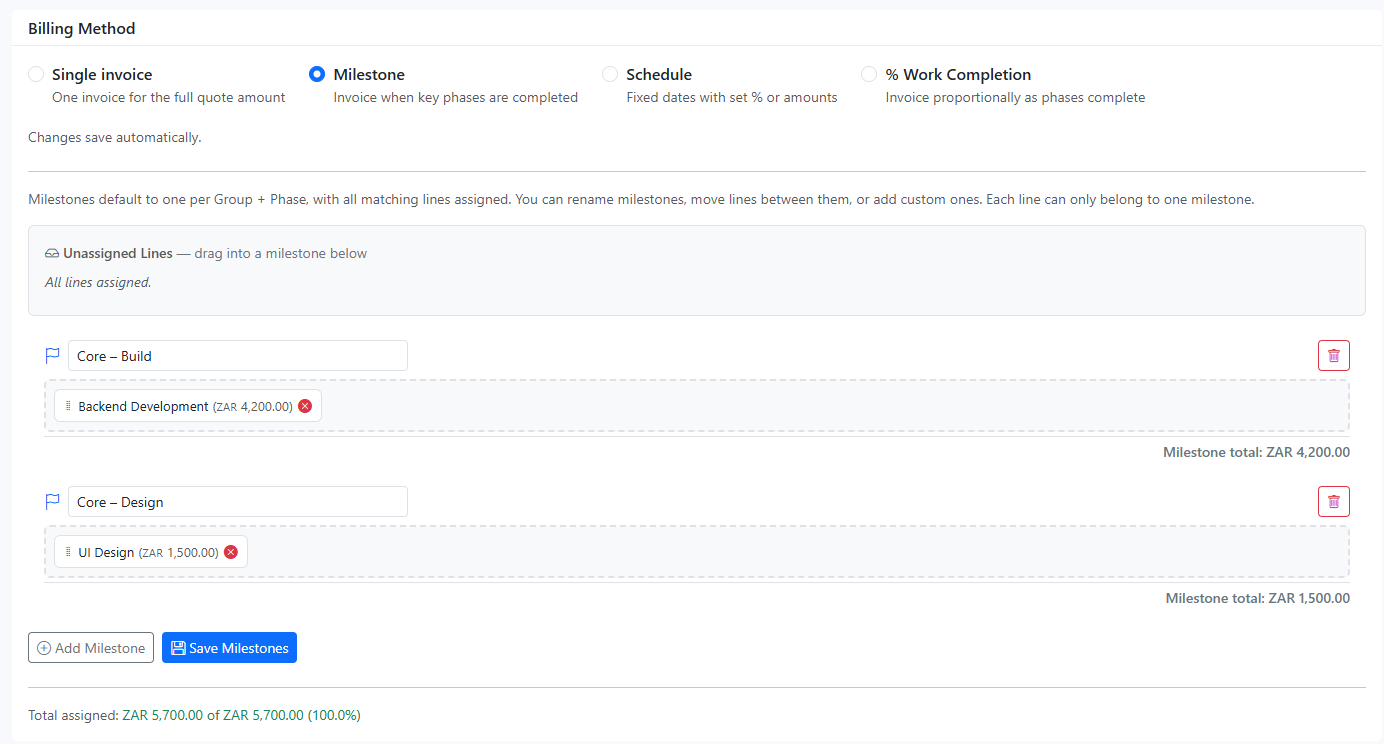
Defines how value is invoiced and exposes five concrete modes: Single invoice, Milestone, Schedule, Retainer (Repeated), and % Work Completion. Each mode changes which controls appear and which invoice actions are valid.
Billing Method mode details
Single invoice: one full-amount invoice for an accepted quote. Milestone: line items are grouped into milestones and invoiced per milestone. Schedule: instalment rows define label, due date, and percent/amount. Retainer (Repeated): recurring cadence with frequency/date window and Generate Next Retainer Invoice. % Work Completion: select uninvoiced lines and generate invoice for selected lines.
Milestone invoice trigger actions
Generate Invoice controls turn accepted quote checkpoints into billable records; use only when status, scope, and trigger conditions are valid.
See guide:
Invoice Workflow
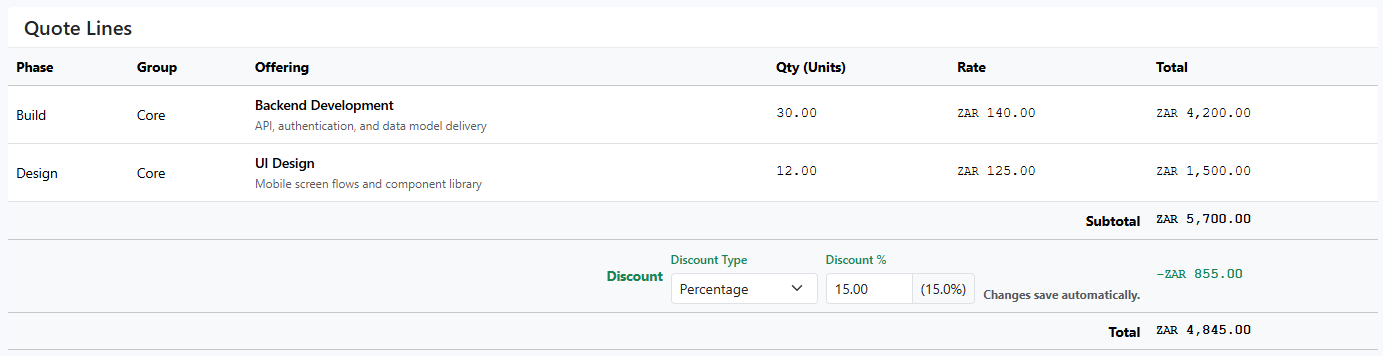
Quote lines and totals table
The lines table is the evidence of what the client agreed to; check offering, quantity, rate, discounts, and total integrity before any status change.
Resource Assignments and Line Allocations
These sections expose how quoted work maps to delivery structure. Use them to detect mismatches before execution or billing divergence starts.
Quote notes
Notes capture commercial rationale and client context that explain why the quote was accepted in its current form.
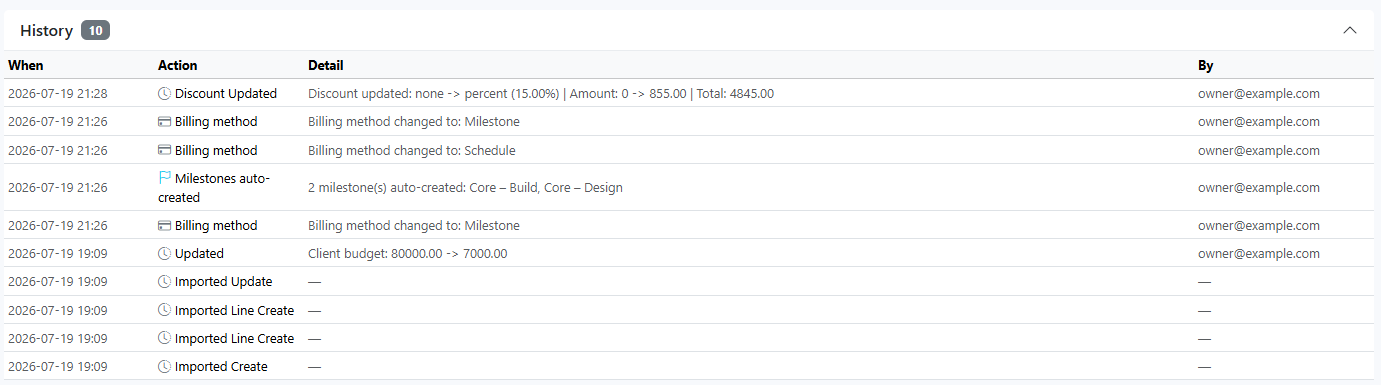
History panel
Tracks quote events over time and is the audit trail to confirm lifecycle changes happened in the correct order.
Client Review Access panel
The Client Review Access card lets you add emails with Add To Allowed List, shows Shared with entries, and removes access with the x action.
See guide:
Client Portal